The platform
One app and one panel for every screen.
Install the app on Android TV, Google TV or Fire TV screens, pair each one with a code and run them all from one panel: your content, your schedules and proof of every play.
- 01
The screen
The screen you already have, or a commercial-grade display from us. The app runs on Android TV, Google TV and Fire TV screens, so in most rooms there is no extra box.
- 02
The app
From Google Play or the Amazon Appstore. It plays your photos, videos and presentations in a loop and keeps playing offline.
- 03
The panel
Every screen, campaign and verified play in one place, from a laptop or a phone.
Proof of play flows back to the panel: what ran, where and when, to the second.
The panel
Every screen at a glance.
The Command Center of the panel: screens online, active campaigns and verified plays in one place. This is a recreation with demo data, so no customer data is ever shown.
Command Center Overview
Live SyncTenant IsolatedReal-time playback velocity, screen fleet telemetry and campaign oversight
Playback Velocity & Impressions
Daily completed plays across all screens (14 days)
Fleet Telemetry Pulse
Live hardware & connection status
What it does
Everything a screen network needs, in one panel.
Publish in a minute
Photos, videos, PowerPoint or Google Slides, posted from your phone in about 60 seconds. You set how long each slide stays up.
Schedule by day and hour
Each campaign gets its days, a time window and a priority, so the right content plays at the right time.
Control every screen remotely
Monitor each screen, restart it, switch the TV on and off on a daily timer and rotate it to portrait, without a site visit.
Keeps playing offline
Content is stored on the screen. If the internet drops, it keeps playing and syncs itself when the connection returns.
Proof of every play
Every screen reports impressions, completed plays and the exact time content last ran, to the second.
Teams and locations
One account for every location. Each person gets their own login and only the rights they need.
Use cases
One platform, many uses.
The same app and panel run all of these. Advertising is just one of them.
Your own content
Menus, offers, opening hours, welcome screens and house news, on the screens you already have.
Retail media
Run your own campaigns in store and sell slots to the suppliers whose products you stock.
Events
Live agendas, wayfinding and sponsor loops, changed from a laptop while the event runs.
Advertising in our network
Venues host our advertisers and earn a share. Advertisers book a defined audience, with proof of every play.
Hardware
The screens it runs on.
The app runs on the screen itself wherever it can, so most rooms need no extra box.
Screens you already have
Android TV, Google TV and Fire TV screens: we install the app and pair it.
Players for other screens
Older screens get a small player: an Android box or a commercial signage player.
Commercial-grade displays
Where there is no screen, we bring commercial-grade displays built to run all day.
Portrait or landscape
Rotate any screen by 0, 90, 180 or 270 degrees from the panel, without a site visit.
Pair a screen
Pair a screen in three steps.
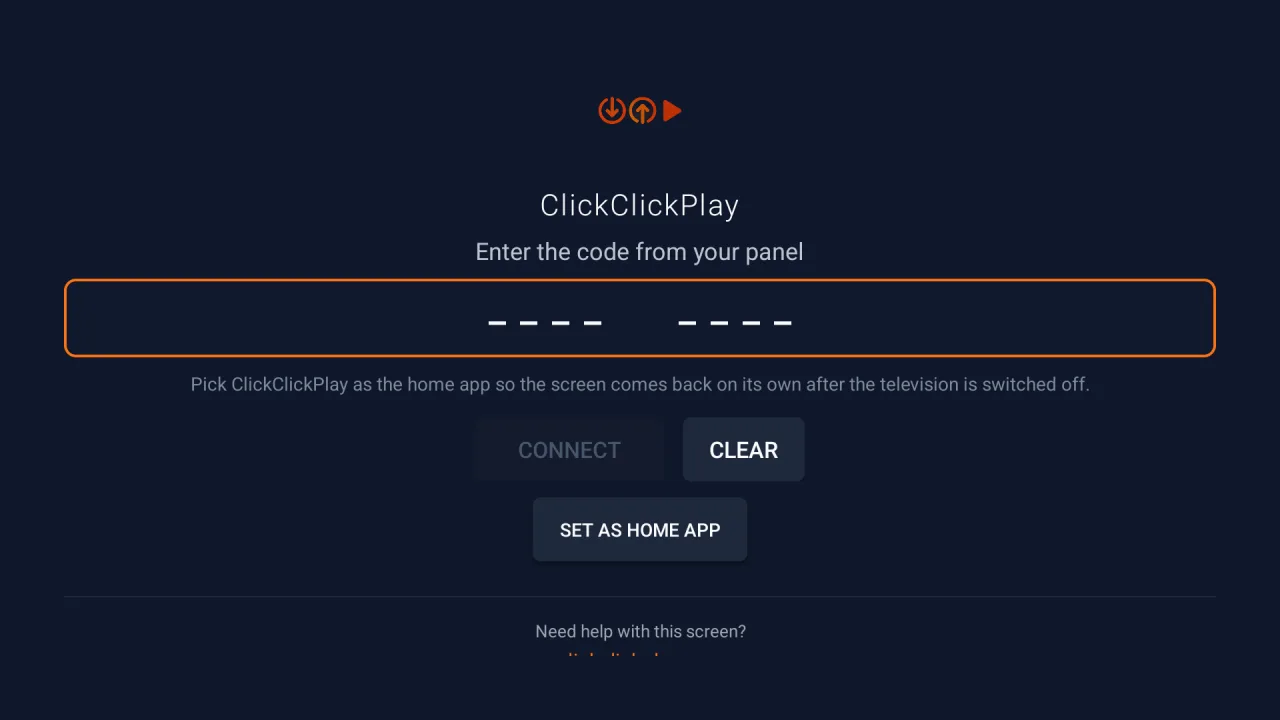
Once the app is on the screen, one eight-digit code links it to your account.
- 1
Add the screen in the panel
Add a screen in the panel, name it and assign a venue if you like. The panel shows its eight-digit pairing code.
- 2
Open the app on the TV
Install it from Google Play or the Amazon Appstore, or as the direct app file on any Android screen, and open it.
- 3
Type the code and press Connect
Enter the eight-digit code with the remote. The screen links to your account the moment you press Connect, and you can publish to it straight away.
Fair questions.
What happens if the internet drops?
Nothing visible. Content is stored on the screen and keeps playing. When the connection returns, the screen syncs itself.
Can we reuse PowerPoint or Google Slides?
Yes. Slide decks, photos and videos go straight to the screen, and you set how long each slide stays up.
What does it cost?
The software is priced per screen, and your first screen is free. Venues that host our advertisers pay nothing for the software. The full price list is on the pricing page.
Try it free on a screen you own.
Install the app, pair your screen and try the panel. Or book a call and we set it up with you.