Android TV App
Your TV is already the screen
ClickClickPlay runs as an app on the Android TV or Android box you already own. Install it, pair it with an eight-digit code, and run that screen - and every other screen - from one panel. Would you rather it was done for you? We still supply and install screens.
Now on Google Play and the Amazon Appstore for Fire TV. If a screen shows "not compatible" on a store, the direct file still installs on any Android screen. You will need a panel account to pair.
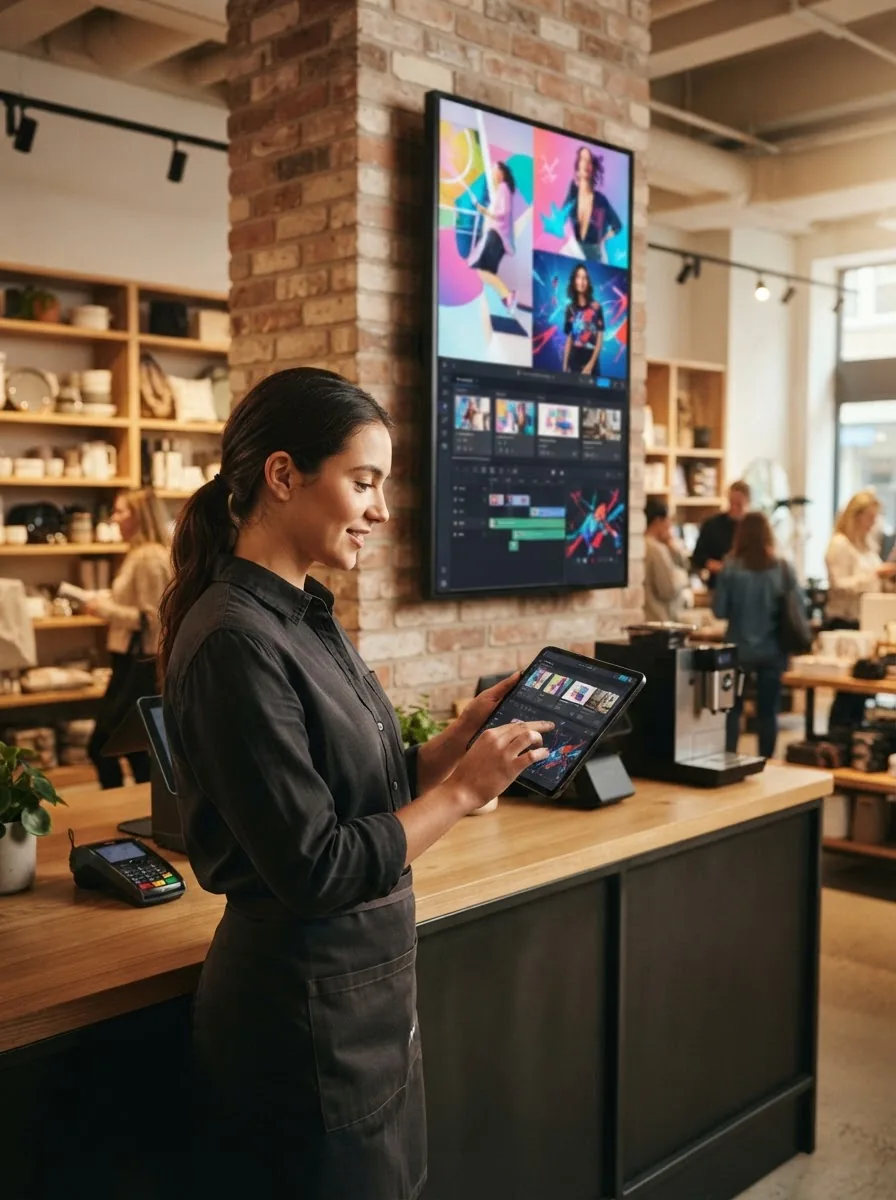
How to add a device and connect it
Only the first step involves us - the rest you do yourself, in minutes. Every screen below is the panel you actually work in.
Request access
Fill in the contact form. We set up your account and confirm by email, usually the same day.
Log in to the panel
Sign in with your email and password, then confirm the one-time code we send you.
Sign in to your account
Access your dashboard to manage screens, playlists and campaigns.
Add a device
Add a screen in the panel to get its pairing code. Name it, assign a venue if you like, and it is ready to connect.
Add new device
The device overrides this the first time its agent registers.
Connect your screen
Open the app on your TV or box and type the eight-digit pairing code with the remote. It links to your account the moment you press Connect.
Device created
Install the app on the screen, then enter this code there. Valid for 24 hours.
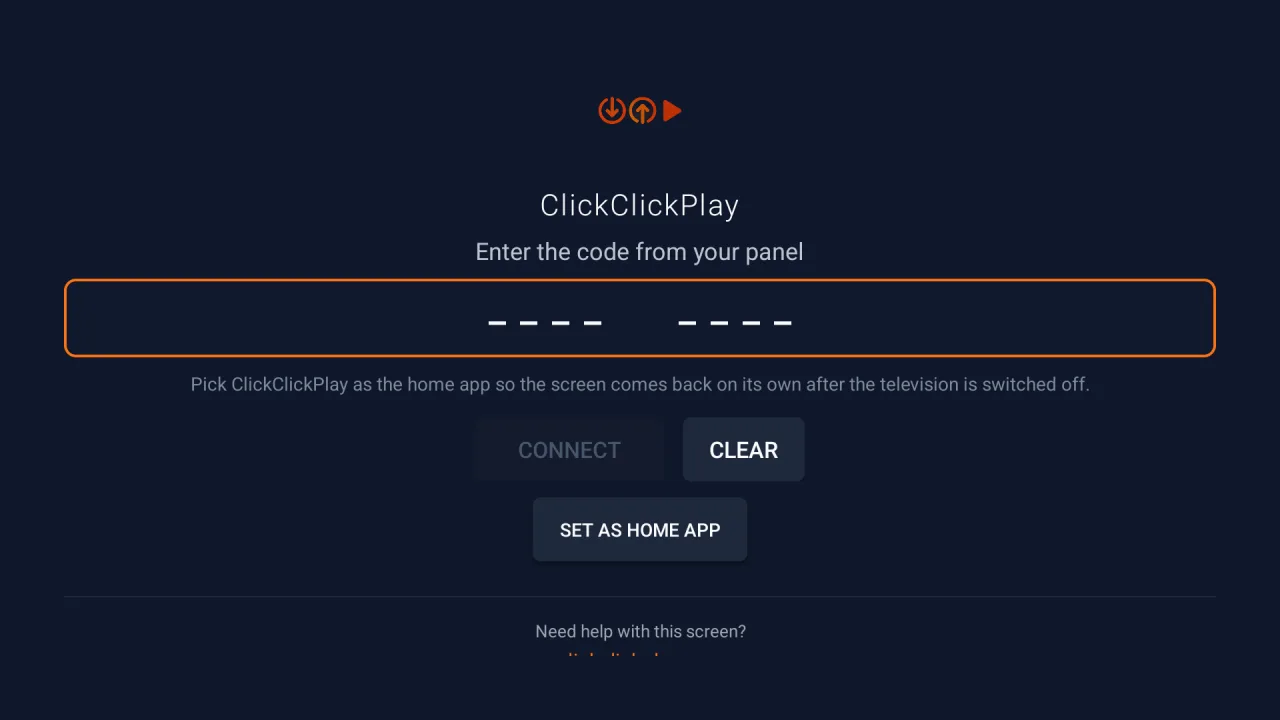
And this is the other half of that step - the actual screen on the television during setup, not a mockup. Type the eight-digit code from the panel above and press Connect.
Launch a campaign
Upload your images or video, build a playlist, and publish. Your screen updates in seconds.
Broadcast campaignsLive schedules
| Campaign name | Status | Schedule | Media | Screens |
|---|---|---|---|---|
| Storefront WelcomeDemo Retail Co | Paused | Aug 24 → Sep 03 | welcome.mp4 | 1 |
| Summer Menu PromoDemo Retail Co | Active | Aug 21 → Sep 30 | promo-video.mp4 | 2 |
| Weekend SpecialDemo Retail Co | Active | Aug 21 → Sep 30 | menu-board.png | 1 |
| New Arrivals LoopDemo Retail Co | Active | Jul 21 → Aug 31 | offer-banner.mp4 | 4 |
Free to start
Your first screen is free, forever.
Run the whole platform on your own screens - no card, no commitment, no time limit. Your first screen stays free for as long as you use it; larger fleets are welcome to test before committing.
Your first screen is free, forever, under our fair usage policy. From your second screen you move to the per-screen plan, priced on our pricing page. Charities and organisations working for social good can message us and we will gladly find a solution.
What runs it
An app on a screen you own, not a box we ship you.
Any Android TV or Google TV
If the television itself runs Android, it runs the app. Nothing else to plug in and nothing else to power.
Any Android box on an HDMI input
A TV running the manufacturer's own system needs a small Android box on one of its HDMI ports. The box runs the app; the TV just displays it.
Portrait or landscape
Rotate the picture 0°, 90°, 180° or 270° from the panel. Mount the screen whichever way the wall wants - the orientation is changed remotely, not on a ladder.
WiFi, or Ethernet if the cable is there
WiFi is enough, and the network can be changed remotely: the panel scans, connects, and falls back to the saved network if the new one does not come up. A cable is simply one less thing to go wrong.
What to buy if you need a box
On this track we do not sell you the box, take a margin on it, or tie you to one model. Buy it wherever you like - this is the specification that works. (Would you rather not source it at all? That is the managed track, below.)
1 GB is what makes a cheap stick stutter on video.
Media is cached on the device, which is how it keeps playing when the internet drops.
Any free HDMI input on the screen will do.
Both are supported. A wired box is the one you never have to reconnect.
Older builds are missing pieces the app relies on.
What to avoid
- 1 GB TV sticks. They are the cheapest thing on the shelf and the reason video stutters.
- Boxes from a vendor with no update path. A device that will never receive another Android update is a dead end you have to replace.
- Anything not built to be left on. The screen runs all day, every day, and a box designed for an evening of streaming is not the same thing.
Roughly €40-80
That is what a box meeting this specification costs at the time of writing. It is a one-off purchase from whichever retailer you prefer, and it is yours - if you ever leave us, the hardware stays with you.
What the panel actually does
Every item below is live in the production panel today.
Running the fleet
- Live ONLINE / OFFLINE state with a last-seen time on every screen
- Health telemetry per screen: CPU, memory, temperature, disk and agent version
- Hardware and network detail: SoC and Android version, hostname, MAC, local and public IP, gateway, subnet, WiFi SSID and signal strength in dBm
- Filter the fleet by platform and by tenant
Remote control, without a site visit
- Rotate the screen 0°, 90°, 180° or 270°
- Turn the TV itself on and off, and set a daily on/off timer such as 08:00-23:00
- Toggle playback, restart the agent, reboot the box, clear the cache
- Request logs from a screen and read them in the panel
- Change the WiFi network remotely, with automatic fallback to the saved network if it fails
- Release a screen back to normal TV use, and take it back again
- Push an app update to the whole fleet from the panel
Content and scheduling
- Campaign builder: details, media, schedule, screens, review
- Images, video and presentations - set how long each image or slide stays up; video runs its own length
- Start and end dates per campaign
- Day-parting: pick the active days Monday to Sunday, and the time window inside them
- A campaign priority out of 10, so two campaigns competing for one screen resolve in a defined order
- Target specific screens, or everything
- Per-screen playback order, reordered and saved
- Pause a single campaign on a single screen without touching the rest
Multi-location and resale
- Venues for partner locations
- Groups for devices, venues and campaigns
- Multi-tenant: separate customers in one panel, with an all-tenants view
- Roles and permissions: reusable permission sets, from a read-only viewer to fully custom roles, assigned per user
- An advertiser name and email attached to each campaign, so resold screen time stays attributable to whoever booked it
- An audit log of what changed and who changed it
- A REST API at /api/v1, with per-device API keys
Proof it ran
- Impressions per campaign and all-time
- Impressions charted over the last 14 days
- Per-screen proof of play: impressions, completed plays and a last-played timestamp to the second, for every screen a campaign runs on
- A fleet status summary and uptime rate
- Top campaigns by impressions
- Screens report what they are actually playing, so the panel reflects a wall you cannot see
Reliability
- Offline-first playback: the screen keeps playing when the internet drops
- Automatic recovery after a power cut
- Over-the-air agent updates
Also runs on a commercial-grade player
A commercial-grade signage player module is supported alongside the Android app. It runs the same agent, reports the same telemetry, and sits in the same panel beside the Android screens - filter the fleet by platform and both are there. It is simply no longer where we start: an Android box is cheaper, easier to buy, and in many buildings already plugged in. For always-on production we recommend the commercial-grade player.
Or have us do all of it
The app is one track. The managed track is the other, and it has not gone anywhere.
- We supply commercial-grade displays built for continuous operation, and the Android player that drives them
- We mount them, cable them and configure the player on site
- We watch the fleet and act on a screen that goes offline
- One monthly fee covering the screen, the platform and the support
Somewhere we cannot visit? The software works anywhere. The install visit does not, so there you install the app yourself and we run the panel with you.
Questions people actually ask
Will it work on my TV?
If your television runs Android TV or Google TV, yes - install the app and pair it. If it runs the manufacturer's own system, the app goes on a small Android box plugged into an HDMI input instead, and the TV simply displays what the box plays. Either way the screen you already own is the screen we use.
Where do I get the app?
Search "ClickClickPlay" on Google Play or the Amazon Appstore on your Fire TV, or open the store buttons above. One honest note: this is a new listing, and a few certified Android TVs still report "not compatible" on the store even when the app runs perfectly - that is a Google catalogue quirk, not your TV. If you hit it, install the app file directly from get.clickclickplay.com; it works on any Android screen and pairs the same way.
What happens if the internet drops?
The screen keeps playing. Media is cached on the device, so playback is offline-first: it continues through an outage and picks up new content when the connection returns. After a power cut the player restarts and resumes on its own.
Can I still watch normal TV on it?
Yes. You can release a screen back to normal TV use from the panel and take it back again when you want it playing content - and you can set a daily on/off timer, so the screen switches itself on for opening hours and off afterwards.
How do updates work?
The player agent updates itself over the air, and an app update can be pushed to the whole fleet from the panel. Be aware of one honest caveat: on an ordinary Android box, Android itself shows a confirmation dialog that somebody has to accept with the remote. Fully unattended installs need the app to be a system app or the box to be rooted, which is a setup we do as part of the managed track rather than something every box does out of the box.
Do I need an IT person?
No. Installing the app and typing an eight-digit code is the whole setup, and almost everything afterwards is done remotely - rotation, reboots, cache clearing, logs, even switching the screen to a different WiFi network. If you would rather not touch any of it, that is what the managed track is for.
Put it on a screen this week
Thirty minutes on a call is enough to work out which track fits you, what your screens should show, and what it costs.
Book a 30-minute callOr write us directly:
hello@clickclickplay.com